Online Payment Sign-Up

Water Bill Online Sign-Up Instructions

To pay your Division of Water bill online, please follow the instructions outlined below. If you are still experiencing difficulty, please call (216) 529-6820, and select option 2, for further assistance.

  1. Visit the Lakewood Division of Utility Billing Online Portal.
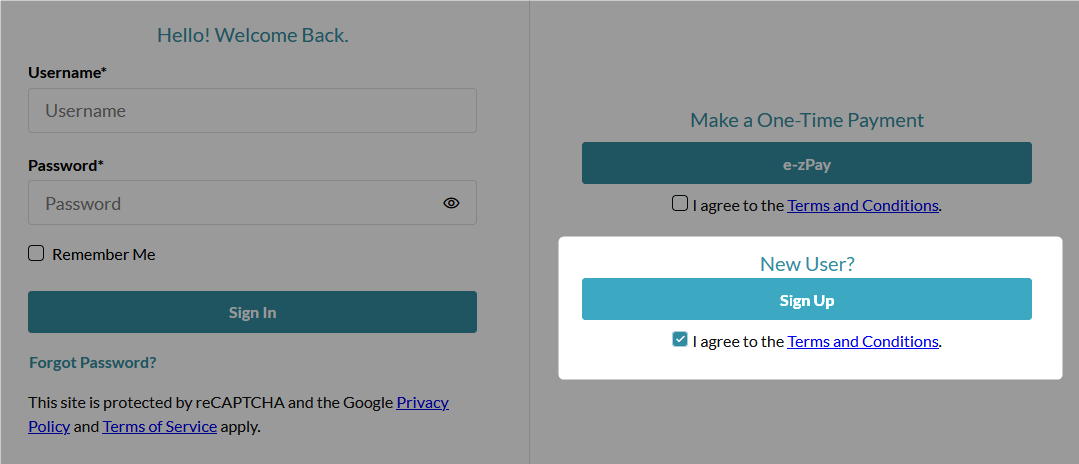
  2. Review and agree to the Terms and Conditions, and click “Sign Up.”
    The first screen for the online signup form. Shows an option to log in on the left, and an EZ-Pay option and a sign up button on the right.
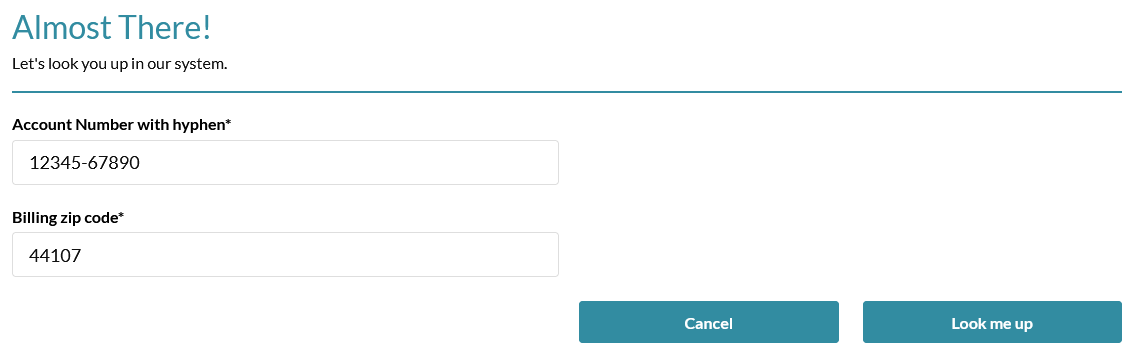
  3. Enter your account number and ZIP code. Please include the hyphen when entering your account number (XXXXX-XXXXX).
    Second screen showing form entry fields for the Account Number and ZIP code.
  4. Complete the registration form, and then click Enter.